 Sketchglass
AR drawing for kids: a parent's guide to safety, camera privacy and a good first session
Your child wants to trace with the phone camera. Here is what to check before you hand it over, how to set up a safe spot and how to make the first drawing a happy one.
In this guide
AR drawing for kids means a child props a phone above real paper, sees a sketch through the camera and traces it with a pencil. Before saying yes, check four things: where camera images go, what ads and purchases the app has, how sharing works, and whether the drawing spot is clear and steady. Then sit with your child for the first session so they learn the setup.
Your child has seen someone trace a drawing with a phone and now they want to try. It looks like magic, and it is a nice way to get them drawing on real paper instead of tapping a screen. But it also means a camera pointed at your table, an app on a family phone and maybe a few questions about ads and sharing.
This guide walks through what to check, how to set up a good drawing spot and how to run a calm first session. It uses Sketchglass, our AR drawing app, as the example, but the same checklist works for any tracing app you are considering.
What AR drawing actually is
The phone stands still above a sheet of paper with its camera looking down. The app shows the live camera picture with a see-through sketch on top. Your child looks at the screen, sees their own hand and pencil, and follows the lines on the real paper.
Nothing is drawn on the screen with a finger. The pencil, the paper and every line belong to your child; the phone is only a guide. If you want the full picture of how it works, our explainer on what AR drawing is covers the setup in detail.
Five things to check before your child starts
Read the app's privacy policy and listing with these questions in mind. A good app answers them in plain words.
- Where do camera images go? The camera films your table, so ask whether frames or photos leave the phone. In Sketchglass, the camera view and the photo of the finished drawing are processed on the phone and never uploaded. There is no account and no server for the app.
- Does it ask for an account or personal details? Sketchglass has no sign-up. On first launch it asks for a birth year, and only whether the user is under 13 is kept, on the phone, to pick the right kind of ads.
- What ads does it show, and when? Sketchglass is free with ads. For users under 13, ads are requested as child-directed: no personalised ads and only ads rated suitable for all ages. Children only see video ads they choose to watch to unlock a sketch, and there are never ads while the camera is open.
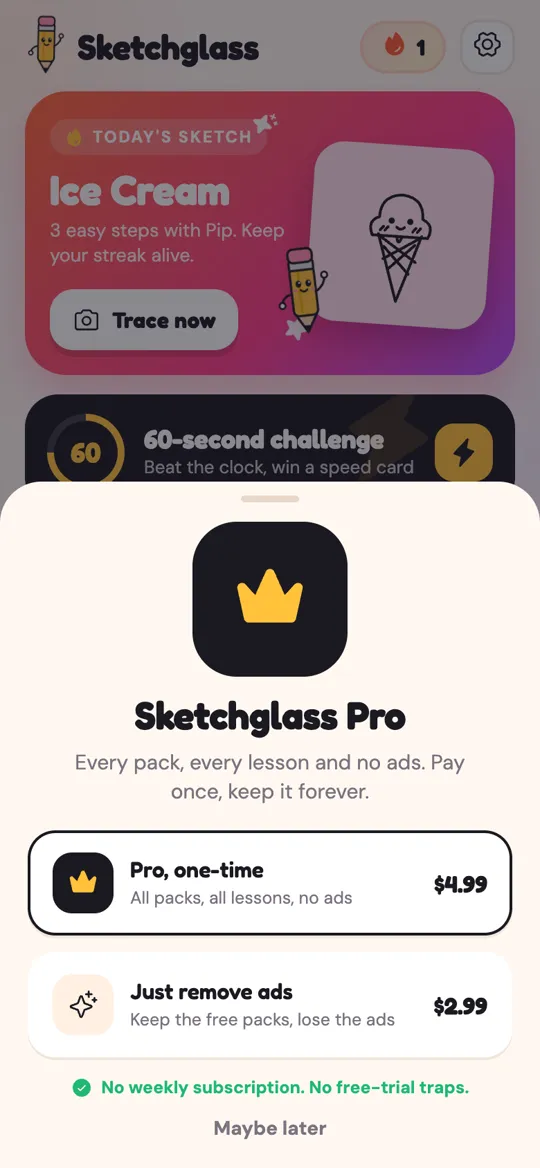
- How do purchases work? Look for one-time purchases rather than weekly subscriptions or free trials that renew. In Sketchglass, Pro, Remove ads and sketch packs are one-time purchases through Google Play, and there are no subscriptions.
- What other permissions does it want? A tracing app needs the camera. Sketchglass does not ask for location, contacts or the microphone.
Camera privacy, in plain words
Children often worry less about privacy than we do, so it helps to explain it simply: "The camera only shows the phone your paper. The pictures stay inside the phone."
Here is what that means in Sketchglass:
- While tracing, the camera picture is shown on screen and used to keep the sketch over the paper. It is not saved or sent anywhere.
- When your child taps finish, the app takes one photo of the paper to score the drawing and make a card. That happens on the phone too.
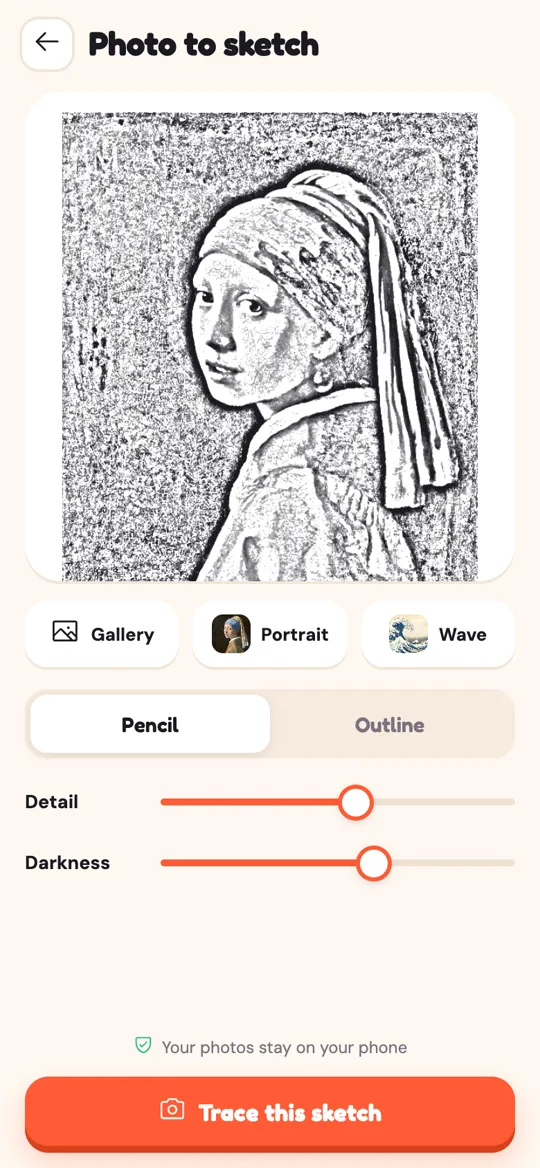
- Photo to sketch uses the phone's own photo picker, so the app only sees the one picture that is chosen. It is turned into line art on the phone.
- Deleting everything is as simple as uninstalling the app or clearing its storage, because drawings, cards and progress live only on the phone.
The full details are in the Sketchglass privacy policy, and there is a page on how to delete your data.
Set up a safe drawing spot
Most of the practical safety in AR drawing is about the table, not the app. Your child will be looking at a screen while their hand moves, so the space around them matters.
- Pick a clear, stable table. Move cups, scissors and anything breakable out of elbow reach.
- Choose a steady stand. A wide drinking glass or a stack of books works well. Put the phone about a hand above the paper, camera looking straight down.
- Check the light. A bright, even room light helps the camera see the lines. Avoid sitting with the window right behind the phone.
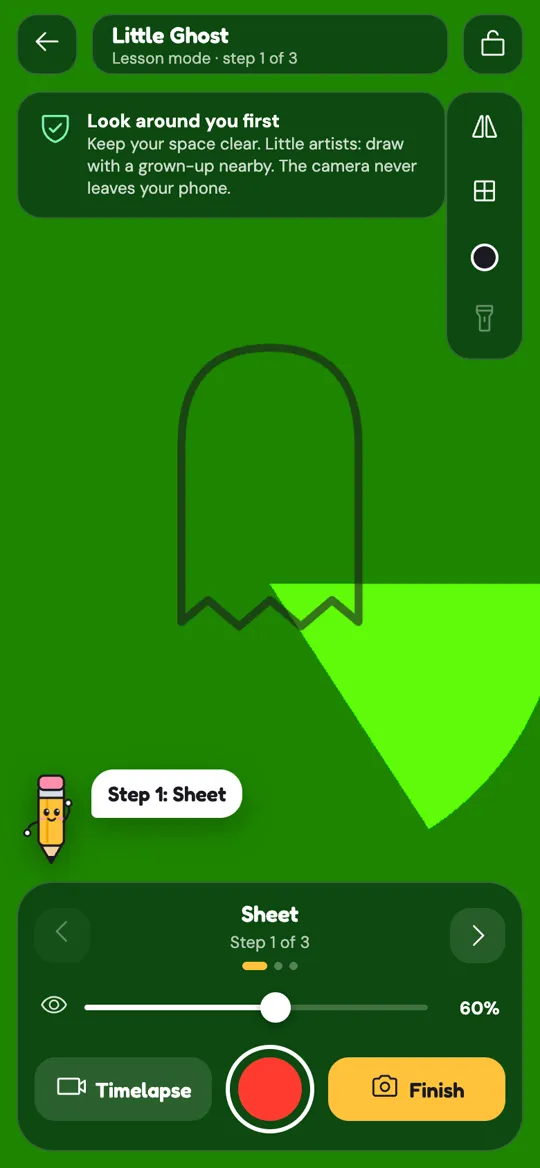
- Sit nearby. Sketchglass shows a tip the first time the camera opens: look around you first, keep your space clear, and little artists draw with a grown-up nearby.
- Agree on breaks. Tracing one sketch takes a few minutes. Stop between drawings to stretch and look around the room.
A first session you can do together
The first try decides whether your child comes back, so keep it short and easy.
- Pick a simple sketch. Round, chunky shapes are easiest. The baby T-Rex walkthrough is a friendly first drawing.
- Let your child place it. Show them how to pinch to resize, drag to move and twist to turn, then tap the lock so it stays put.
- Trace one step at a time. Each sketch is split into a few easy steps, and Pip the pencil guides each one. Say the step out loud together.
- Snap the paper. At the end, your child takes a photo of the drawing and gets a card with 1 to 3 stars.
- Talk about the drawing, not the stars. Point out a line they did well. If they want to try again, the second go is usually smoother.
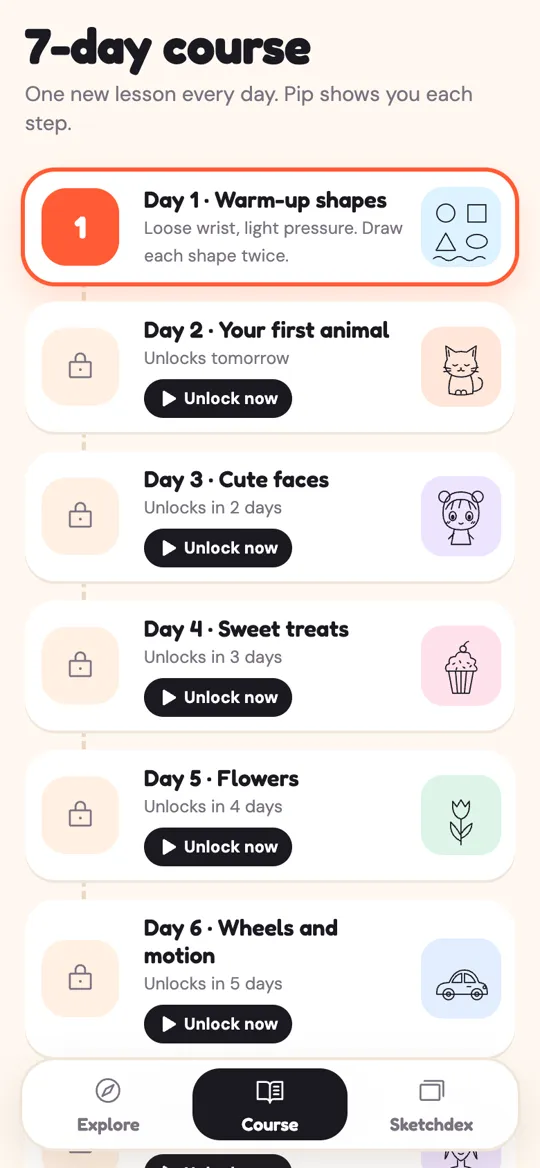
If the idea sticks, the 7-day drawing practice plan gives one short lesson a day, in the same order as the course in the app.
Sharing: what leaves the phone and when
Kids love to show off a finished drawing, and the share card is made for that. It shows the sketch next to the drawing, the stars and the card name.

Nothing is shared automatically. When someone taps Save, the card or the 6-second clip of the drawing coming alive goes to the phone's gallery. When someone taps Share, the phone's own share sheet opens and the person chooses where it goes.
That makes sharing a good moment for a quick family rule. For example: "Ask me before you send a picture to anyone," and "Check what else is in the photo." The drawing card itself only shows the paper, but a clip filmed on the desk can show part of the room, so have a look together before it goes anywhere.
How to keep it fun, not pressured
Daily sketches and a streak counter are there to give a small reason to come back, not a chore. If your child misses a day, that is fine; a streak is not homework.
Mix traced drawings with freehand ones. After tracing a cat, ask them to draw it again next to the first one without the phone. Tracing builds a feel for shapes, and freehand tries show what has stuck. Colour, stickers and backgrounds can come after the card is made, so the score only looks at the lines.
FAQ
Is AR drawing safe for kids?
It can be, with a clear table, a steady phone stand and a grown-up nearby. Also check how the app handles camera images, ads, purchases and sharing before your child starts.
Does Sketchglass upload my child's camera images?
No. The camera view and the photo of the finished drawing are processed on the phone and never uploaded. There is no account and no server for the app.
Will my child see ads?
Sketchglass is free with ads. For users under 13, ads are child-directed and rated for all ages, children only see video ads they choose to watch to unlock a sketch, and there are no ads while the camera is open.
Can my child buy things by accident?
Purchases go through Google Play and are one-time unlocks, with no subscriptions. Turning on purchase approval in your Google Play family settings means every purchase needs a grown-up first.
What does my child need to start?
A phone, a sheet of paper, a pencil and something steady to stand the phone on, like a drinking glass or a stack of books, plus a clear, well-lit table.
Is tracing bad for learning to draw?
Tracing is a common way to learn how shapes fit together. Mix it with freehand tries, like redrawing the same sketch without the phone, so your child practises both.