 Sketchglass
How to trace your name in 8 fonts (graffiti to cursive)
Type a name, pick a style, and trace it with a real pencil. Here is how the Your name screen works and how to make the letters look sharp.
In this guide
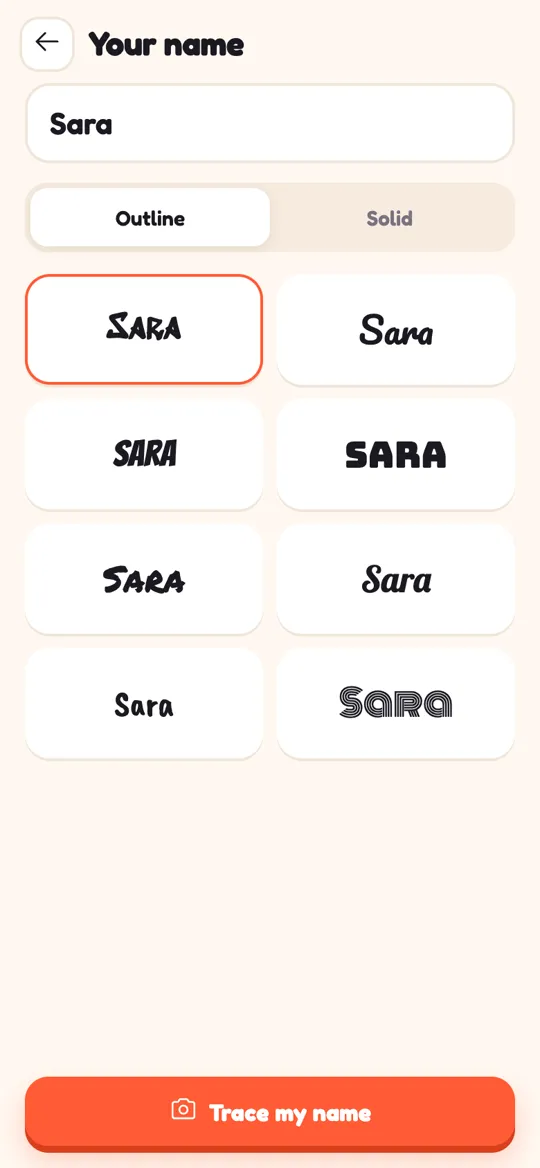
To trace your name in different fonts with Sketchglass, tap "Your name" on the home screen, type a name of up to 14 characters, choose Outline or Solid, and tap one of the 8 font tiles. Then tap "Trace my name": the lettering floats over your real paper through the camera, you place and lock it, and you trace it with a pencil.
A name is the first thing most kids want to decorate. It goes on bedroom doors, notebook covers, birthday cards and the top of every drawing. The hard part is making the letters look like a real style, not just neat handwriting.
This guide shows how the Your name screen in Sketchglass works, what each of the 8 styles is good for, and how to trace the letters so they come out clean. If you have never tried camera tracing before, read what AR drawing is first. It takes two minutes.
What the Your name screen does
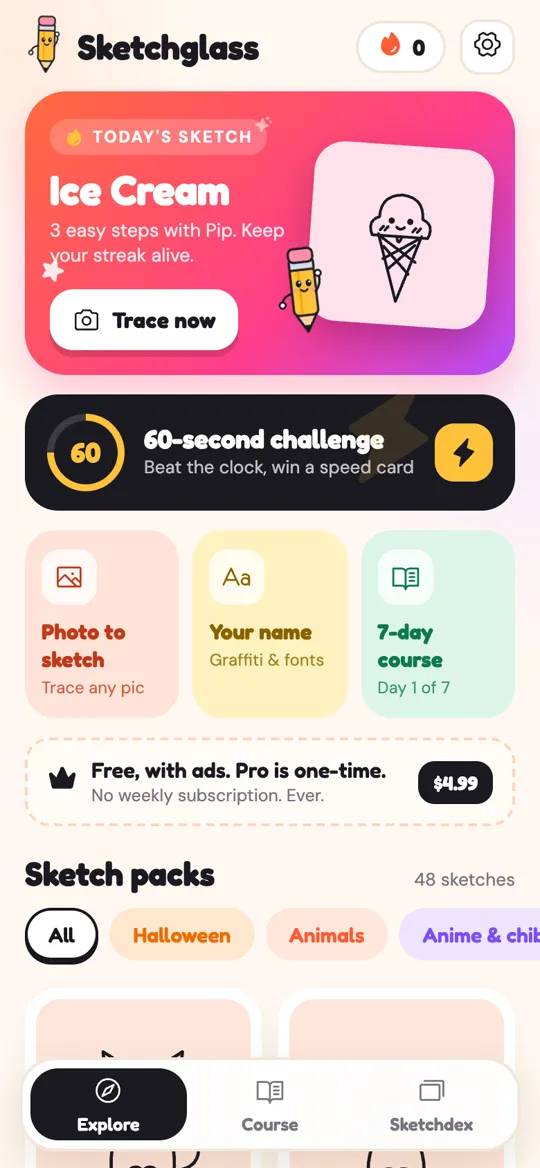
On the home screen there is a yellow tile called Your name, with the line "Graffiti & fonts" under it. Tap it and you get three things:
- A text box. Type any name or short word. It holds up to 14 characters, so "Sara", "Grandma" or "Happy Day" all fit.
- An Outline / Solid switch. Outline gives you the edge of each letter, so you trace the shape and can colour it in later. Solid fills the letters in, which is handy when you want to see exactly where the thick parts go.
- Eight font tiles. Each tile shows your own name in a different lettering style, and the tiles update as you type.
Your name is traced in one step called "Lettering", so there is no long lesson to get through. It is a quick, satisfying project for a spare ten minutes.
The 8 lettering styles and when to use them
The tiles go from wild to tidy. Here is what each one looks like and where it shines:
- Graffiti. Sharp, slanted, spray-paint letters. Great for a bedroom door sign or a skateboard sketch.
- Round script. A soft, joined-up script. Lovely on birthday and thank-you cards.
- Comic. Bold, leaning capitals like a speech bubble shout. Perfect for posters and "KEEP OUT" signs.
- Chunky block. Wide, heavy capitals. Easy for younger kids because the shapes are big and simple.
- Marker. Rough, hand-drawn capitals that look like they were made with a thick pen. Good for notebook covers.
- Bold script. A thicker, retro script. Nice for a name tag or a gift label.
- Brush handwriting. Relaxed, friendly letters with a brush feel. Great for journals and lists.
- Retro stripes. Each letter is drawn with several thin parallel lines. It looks impressive and is the most patient trace of the set.
Not sure which to pick? Start with chunky block or marker. Their lines are short and steady, so you get a good result on the first try. Save graffiti and retro stripes for the second or third round.
How to trace your name, step by step
You need a sheet of paper, a pencil, an eraser and something to prop your phone on, like a sturdy glass or a stack of books. Our guide to setting up your phone for AR tracing covers height and light in more detail.
- Open Sketchglass and tap Your name on the home screen.
- Type the name. Check the spelling now, because the camera view shows exactly what you typed.
- Pick Outline if you want to colour the letters later, or Solid if you want to see the full shape.
- Tap the font tile you like. The chosen tile gets an orange border.
- Tap Trace my name. The camera opens and your lettering floats over the paper.
- Prop the phone about a hand above the paper. Pinch, drag and twist the name until it sits where you want it on the page.
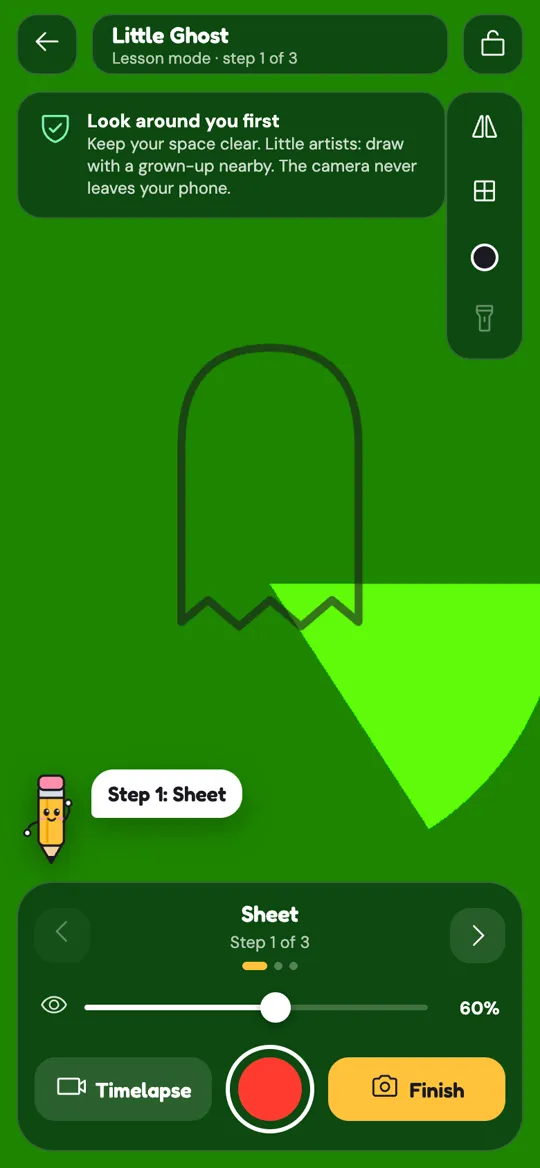
- Tap the padlock at the top to lock it in place.
- Look through the screen and trace the letters with light pencil lines. Go slowly around curves.
- When you are done, tap Finish. The app snaps your page and turns it into a card.
Tips for clean, sharp letters
A traced name looks best when the lines are confident. These habits help:
- Trace light first. Do a soft pencil pass, then go over it once more with firmer lines. Mistakes in a light pass erase easily.
- Move your whole arm on long strokes. The tall stem of a "K" or the long tail of a script "y" looks smoother when you pull from the elbow, not the fingers.
- Turn the paper, not your hand. Curves are easier when the paper rotates so you always pull the pencil toward you. Re-lock the lettering if it slides.
- Use the eye slider. Fade the guide down as you go. When the guide is faint, you start trusting your own line. That is also the first step in moving from tracing to freehand.
- Change the line colour. If the guide is hard to see on coloured paper, tap the line colour button on the right and pick a colour that stands out.
- Use the flashlight in a dim room. It sits under the line colour button.
- Fill Outline letters last. Ink the edges first, erase the pencil, then colour inside. Markers stay inside the line more easily once the outline is dark.
What happens after you finish
When you tap Finish, Sketchglass gives your trace 1 to 3 stars and a card for your collection, just like any other sketch. The card shows your name in quotes, for example "Sara". You can read how stars and frames work in the guide to Sketchdex cards and rarities.
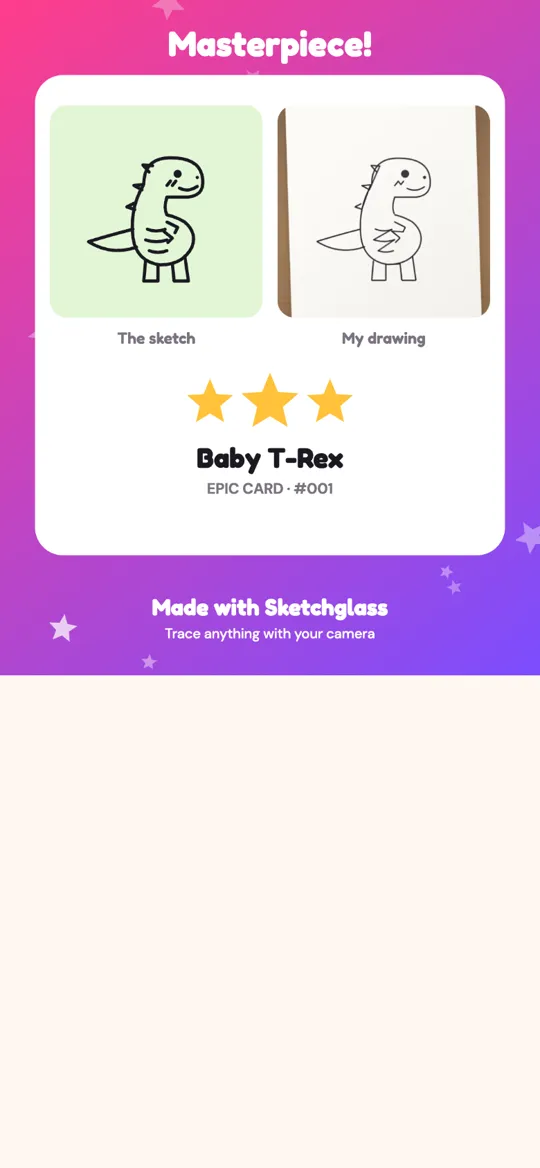
You can also tap Bring it to life and watch your lettering dance or wiggle on the desk. A bouncing name is a fun surprise to film for a grandparent. Our make your drawing come alive guide explains every button.
Ideas for your traced name
Once you can trace a name, there is a lot to do with it:
- Bedroom door sign. Graffiti or comic letters on thick card, coloured with markers.
- Notebook and folder covers. Marker or chunky block, so it is easy to read across a classroom.
- Birthday cards. Type the friend's name, trace it in round script and add a small drawing.
- Gift tags. Write each family member's name in a different style for a set of matching labels.
- A style sheet. Trace the same name in all 8 fonts on one page and compare them. It is a great way to see how letter shapes change from one style to the next.
FAQ
How long can the name be?
The text box takes up to 14 characters, including spaces. That fits most first names, a first name plus initial, or a short phrase like "Happy Day".
What is the difference between Outline and Solid?
Outline shows only the edge of each letter, so you trace the shape and colour it in later. Solid fills each letter in, which makes it easier to see the thick and thin parts of a style.
Can I trace words that are not names?
Yes. The box accepts any short text, so you can trace words like "Hello", "Love" or a team name. Keep it to 14 characters or fewer.
Which font is easiest for young kids?
Chunky block and marker are the easiest because the letters are big, simple shapes with short straight lines. Script and retro stripes take more patience and steady curves.
Is my name sent anywhere?
No. Sketchglass has no account and no server. The camera view and the photo of your finished page are processed on your phone and never uploaded.