 Sketchglass
Why your AR trace drifts and how to fix it
The sketch was sitting on your lines a minute ago, and now it is not. Here is how to find out what moved, put it back and stop it happening again.
In this guide
An AR trace drifts when one of three things moves: the phone, the paper or the sketch on screen. In Sketchglass the sketch is pinned to the screen, so it never slides by itself. Steady the stand, tape the paper, lock the sketch with the padlock, and if things slip anyway, unlock, line the sketch up with the lines you have already drawn and lock it again.
You are halfway through a drawing. You look up from the paper, look back at the screen, and the sketch no longer sits on your pencil lines. The ear you just drew is now a few millimetres to the left of where the app says it should be.
This is usually called drift, and it is the most common tracing complaint there is. The good news: it is almost never a drawing problem, and you rarely have to start again. This guide helps you work out what moved, fix it in under a minute and set things up so it stays put next time.
What drift really is
When you trace with a phone, three things have to stay in the same place relative to each other:
- The phone, which holds the camera and the screen.
- The paper, which holds your pencil lines.
- The sketch, which is the picture drawn on top of the camera view.
If any one of them shifts, the sketch and your lines stop matching. That mismatch is the drift.
Different apps place the sketch in different ways. Some try to stick the picture to the table by following what the camera sees, and that kind of tracking can wander when the light changes or your hand covers the view. Sketchglass keeps it simpler: the sketch stays exactly where you put it on the screen. It does not chase the paper around. That means the sketch cannot slide on its own, and the cause is always something you can see and fix. If you want the bigger picture first, read what AR drawing is and how it works.
Find out what moved
Stop drawing and put the pencil down. Then check these three in order.
- Look at the paper edges on screen. Are they still where they were, and still straight? If the sheet looks turned or shifted in the camera view, the paper moved. If the whole view looks different, including the table, the phone moved.
- Nudge the stand gently. If the phone rocks on the glass or the books, you have found the weak spot. A phone that can rock will rock every time your arm brushes it.
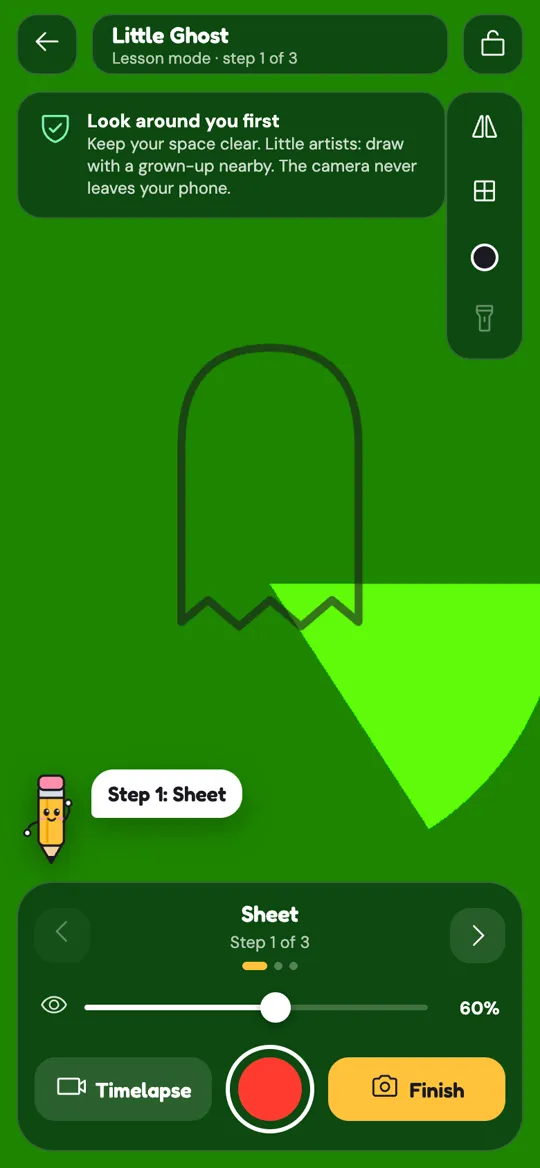
- Look at the padlock. In Sketchglass the padlock button sits in the top right corner of the tracing view. If it is open, the sketch is free to move, and a resting finger or the side of your hand on the screen may have dragged it.
Most of the time the answer is the paper. A sheet of printer paper slides easily under a drawing hand, especially when you erase.
How to line it up again
You do not need to restart. Your pencil lines are the perfect guide for putting the sketch back.
- Fix the cause first. Steady the stand or straighten the paper. If you realign before fixing the wobble, it will slip again.
- Unlock the sketch. Tap the padlock so it opens. The app shows a short "Unlocked" message.
- Turn the opacity down a little. Use the slider at the bottom so you can see both the sketch and your own lines clearly.
- Drag the sketch onto your lines. Use one finger to slide it. Pick one clear part you have already drawn, such as the top of a head, and match that first.
- Twist and pinch if needed. If one end matches and the other does not, the paper turned or the phone changed height. Twist with two fingers to rotate, or pinch to resize, until a second part matches too.
- Lock it. Tap the padlock again. You will see "Locked in place".
- Carry on from where you stopped.
Sometimes it is easier to move the paper than the sketch. If the sheet has only slid a little and the padlock is still closed, slide the paper back until your lines sit under the sketch again, then tape it.
Stop it happening next time
A few habits make drift rare.
- Tape the paper. Masking tape on two corners is enough. This one step removes the most common cause.
- Use a heavy, steady stand. A wide glass or two even stacks of books. Our guide to setting up your phone for AR tracing covers the stand, the height and the light in detail.
- Lock before the first line. Every sketch opens unlocked so you can place it. Make "place, then padlock" a habit. Once it is locked, touching the screen does nothing except make the padlock give a little wiggle to remind you.
- Trace the big outline first. Lessons in Sketchglass start with the big shapes for a reason. Once the main outline is on the paper, you have something to line up against if anything slips later.
- Hold the paper when you erase. Rubbing pulls a loose sheet sideways. Press down with your free hand next to the eraser.
When a small slip matters most
How much a slip shows depends on what you are tracing.
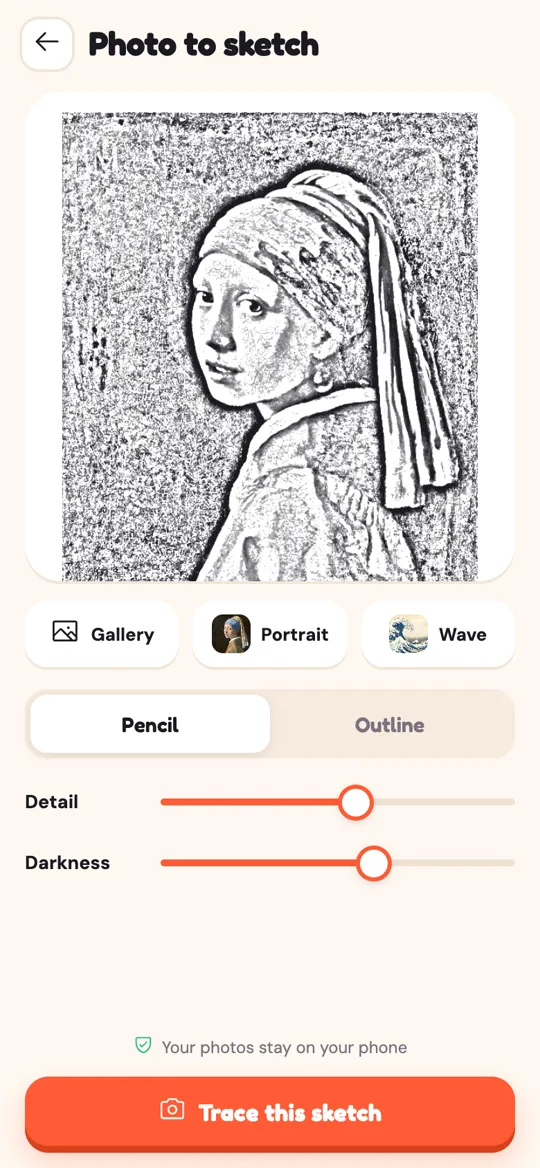
Simple cartoon sketches are forgiving. Detailed pictures are not. A face traced from a photo has eyes, a nose and a mouth that must sit in the right spots, and a small shift between them changes the whole expression. Lettering is similar: a name that slips halfway through ends up with letters on two different baselines.
For these, add two extra habits:
- Check before each new area. Before you start the second eye or the next letter, glance at a part you finished earlier. If it still sits under the sketch, carry on.
- Work from one side to the other. Finish each area before moving on, so a late slip only affects what is left.
Is it drift, or something else?
Not every mismatch is drift. A few look-alikes:
- The drawing looks stretched or lopsided. The phone is tilted, so the camera sees the paper at an angle. Level the stand so the camera looks straight down.
- The sketch is backwards. The flip button is on. Tap it again.
- Your lines look double. The opacity is high and the sketch is covering your pencil marks. Turn it down.
- The lines match on screen but look wobbly on paper. That is hand practice, not alignment. The warm-ups in drawing smooth, confident lines help.
If you often fight with a sliding setup, it may also be worth comparing methods. Our look at AR tracing, a light box and tracing paper explains when each one is the easier choice.
FAQ
Why does my AR drawing keep moving?
Something in your setup shifted: the phone on its stand, the paper on the table or the sketch on the screen. Check the paper first, because a loose sheet slides easily under your hand. Then check that the stand does not rock and that the sketch is locked.
Do I have to start again if the sketch no longer matches my lines?
No. Unlock the sketch, drag it back onto the lines you have already drawn, twist or pinch until two different parts match, then lock it again. Your pencil lines are the guide.
Does the sketch in Sketchglass follow the paper if I move it?
No. The sketch stays where you placed it on the screen. If the paper moves, slide the paper back under the sketch or unlock and move the sketch to the new spot. Taping the paper avoids the problem.
What does the padlock do in the tracing view?
It locks the sketch in place so touching the screen cannot drag, resize or rotate it. A sketch opens unlocked so you can position it. Tap the padlock once it is placed, and tap again when you need to adjust.
Why does one side of my trace match but not the other?
The paper has turned slightly or the phone has changed height. Unlock the sketch, match one part first, then twist with two fingers or pinch until a second part lines up as well.
How do I stop my paper sliding while I trace?
Tape two or four corners with masking tape, work on a flat, clear table and hold the sheet down with your free hand when you erase.